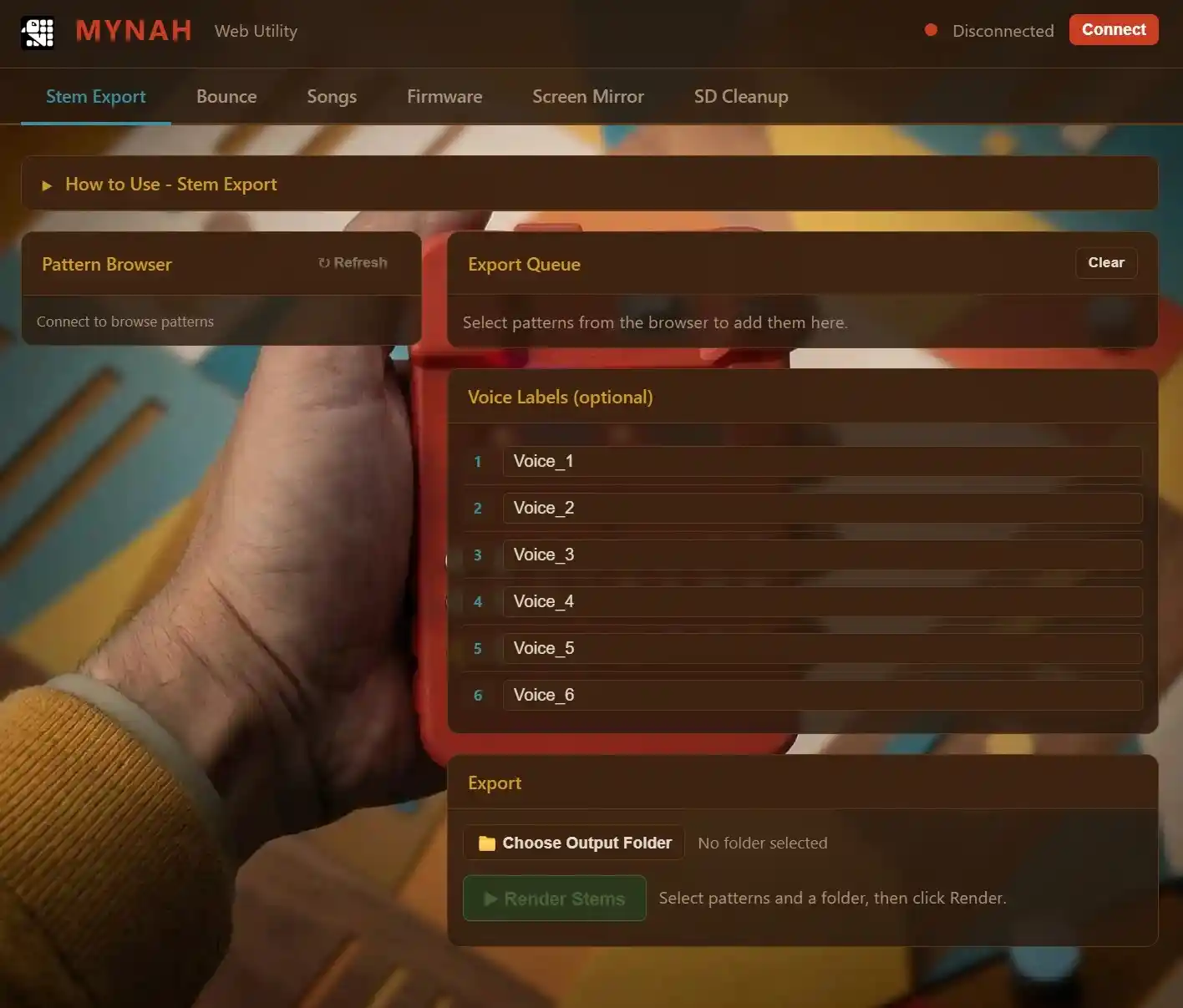
The Mynah web app provides additional features that are not available on the device, such as:
- firmware updates
- stem export
- song naming
- song backup/restore
- screen mirroring
- SD cleanup
Note: only the firmware update functionality is currently supported when running the AcidBoxMynah firmware.
The web app is using the Web Serial API and relies on the browser/OS port picker.
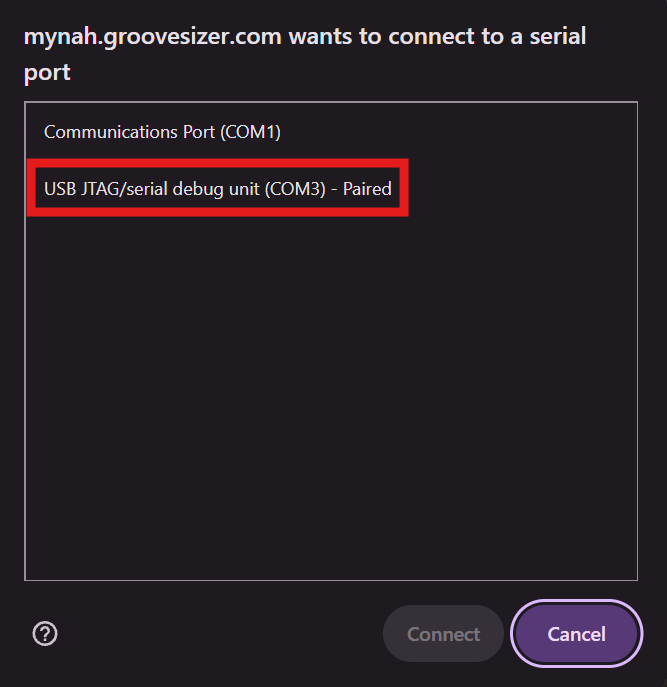
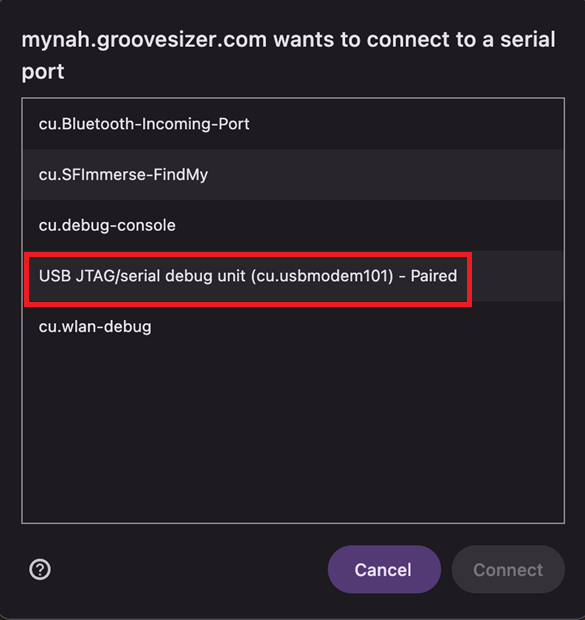
Select the JTAG connection. You may have to grant permission for the connection the first time the Mynah is attached to the computer.
On PC the correct port selection should look something like this:
On macOS, it looks like this:
Troubleshooting:
- Use a supported browser (see below)
- Double-check you are using a data cable, not just a power cable
- Try connecting directly to the computer rather than through a USB hub
Recommended browsers:
| Platform | Browser | Web Serial status |
|---|---|---|
| macOS / Windows / Linux / ChromeOS | Google Chrome desktop 89+ | Recommended; supported |
| macOS / Windows | Microsoft Edge desktop 89+ | Recommended; supported |
| macOS / Windows / Linux | Chromium-based browsers such as Opera | Generally supported, but less tested |
| macOS | Safari | Not supported |
| macOS / Windows / Linux | Firefox | Not supported |
| Mobile browsers | Chrome/Safari/Firefox | Do not treat as supported for this application; Web Serial is primarily a desktop feature |